
UNIFIED RESULTS MANAGEMENT.
The ultimate platform for managing academic performance. Streamline marks entry, automate complex grading scales, and publish results to parent apps securely.
| Roll & Student Name | Theory (80) | Internal (20) | Total (100) | Grade Scale | Verification |
|---|---|---|---|---|---|
|
AS
Aarav Sharma (Roll #24)
|
78 /80 | 19 /20 | 97/100 | A1 | check_circle Auto-calculated, Verified |
|
PN
Priya Nair (Roll #25)
|
74 /80 | 18 /20 | 92/100 | A1 | check_circle Verified ✓ |
|
RP
Rohan Patel (Roll #26)
|
69 /80 | 18 /20 | 87/100 | A2 | check_circle Verified ✓ |
MANUAL TABULATION IS THE BOTTLENECK.
Legacy marks calculation creates institutional overhead, administrative stress, and catastrophic publishing errors right before result announcement day.
Marks Entry Lag
Traditional systems make marks entry tedious for teachers during busy exam seasons, forcing last-minute midnight data dumps.
Grading Complexity
Calculating grades for different boards and subjects manually leads to frequent errors and inconsistent formula adaptations.
Data Silos
Marks are often stuck in offline files, making cross-term performance tracking impossible without manual aggregation.
Delayed Results
Manual verification and tabulation delay result publication by weeks, frustrating parents and slowing academic remediation.
DATA-DRIVEN ACADEMIC MANAGEMENT.
Complete, purpose-built gradebook tools created alongside academic directors, examination controllers, and classroom educators.
Batch Marks Entry
Spreadsheet-style entry allows teachers to fill marks for entire classes or subjects in minutes.
Dynamic Gradebooks
Automate calculations based on custom weightage, internal assessments, and final examination rules.
Real-time Analytics
Instant subject-wise and class-wise performance reports for administrators to track academic health.
Secure Publishing
Multi-level approval workflow ensures marks are verified by HODs before being pushed to parent apps.
Excel Integration
Seamlessly import marks from legacy Excel sheets or export verified data for external reporting needs.
Year-over-Year Tracking
Maintain a complete digital history of student progress across multiple academic years and terms.
THE MANAGEMENT CYCLE.
From initial semester parameter definition to cryptographic sign-off and push notifications directly in the parent mobile app.
Configure evaluation terms, subject credits, formative vs. summative breakdown ratios, and board-mandated cutoffs.
Spreadsheet matrix with role locks, ceiling auto-enforcement, and automatic absent/exempt flags preventing entry mistakes.
HOD two-step sign-off queue, statistical outlier notifications, and grade distribution curve anomaly detection.
Instant encrypted digital publishing. PDF cards generated on-demand with digital signatures and QR verification hashes.
RESULTS ARE SENSITIVE DATA. GOVERN THEM LIKE IT.
Examination results dictate student trajectories, university placements, and school accreditations. Our architecture protects every ledger entry against tampering, disputes, and loss.
Who Can Touch What, and When
Faculty members only have access to subjects assigned in their active timetable during authorized mark entry windows. Once a faculty member submits their spreadsheet, write access automatically lapses. Only an authorized Head of Department (HOD) or Principal can grant a temporary unlock accompanied by a mandatory justification memo logged in the system.
An Audit Trail That Survives a Parent Dispute
Every score adjustment generates an immutable forensic event log capturing the editor identity, workstation IP address, before-and-after values, and the exact Unix timestamp. When parents request re-evaluations, leadership has an instant, unambiguous audit log ready.
Cross-Year Performance, Not Just Cross-Term
Grade histories are never buried in archive databases. Transitioning from Grade 8 to Grade 10 retains complete percentile shifts, enabling counselors to intervene long before board exams begin.
One System, Every Stakeholder
Examiners input numbers, principals monitor school-wide standard distributions, parents download tamper-proof PDF cards, and students view milestone feedback without platform fragmentation.
Importing Legacy Data Without Losing Governance
Migrate five years of past report cards via our intelligent CSV normalizer. Cleanse invalid student registration numbers, patch missing internal components, and generate retrospective analytical charts in a single afternoon.
FREQUENTLY ASKED QUESTIONS.
Everything you need to know about tabulation security, multi-board scaling, and digital report release.
Related Reading
Exam Management Mistakes That Delay Result Day
An operational analysis of why standard schools run into 48-hour fire drills before report distribution, and how to automate pre-tabulation reconciliation.
What Actually Protects Student Data (And What's Just Marketing)
Examining the legal obligations under state privacy frameworks and how role-based cell encryption prevents accidental public grade leaks.
Marks Entry & Results
On the Go.
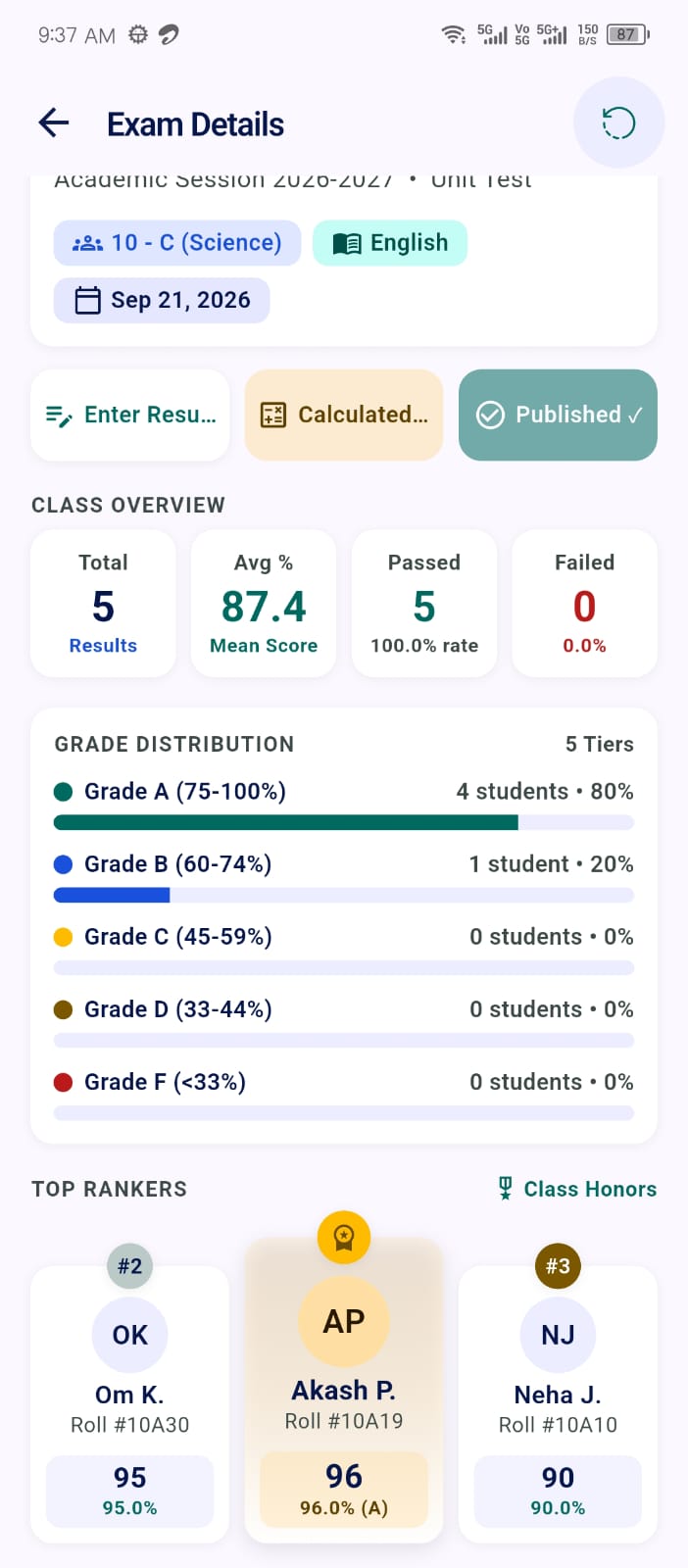
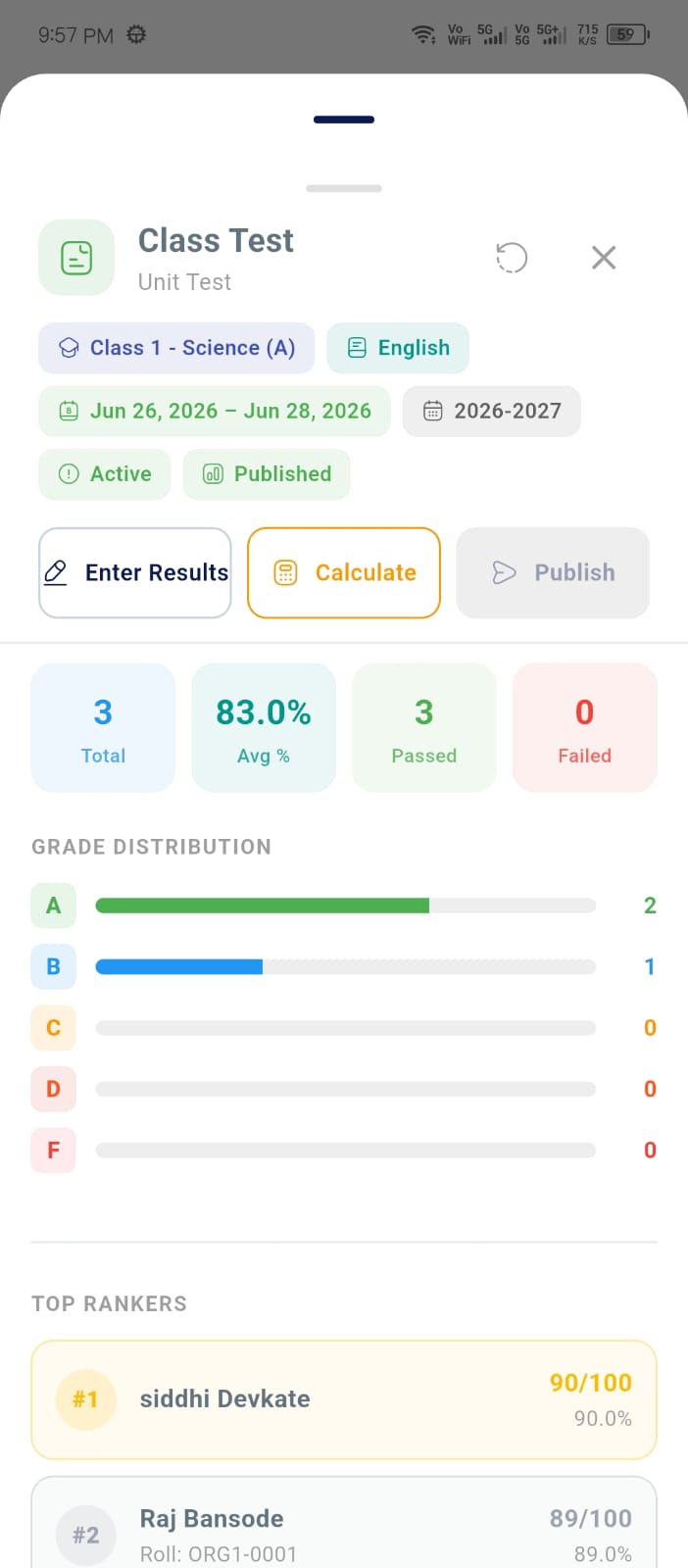
Enter marks, check grade distribution and publish results from the Ellifo mobile app. Parents see results in their app as soon as they are published.
- checkEnter results class by class
- checkCalculated and published status for each exam
- checkGrade distribution and top rankers
- checkStudents see their results in the app once published
MASTER ACADEMICS.
Bring enterprise-grade result management to your institution. Accuracy meets speed. Eliminate tabulation fatigue and deliver professional gradebooks parents trust.
Request Institutional Walkthrough
Speak directly with an Assessment Systems Architect. Custom curriculum rubrics included.